Best Image Upscaler for Anime Wallpapers Online Free
Image Upscaler is a free online tool to enhance your photos and wallpapers. Improve sharpness, restore details, and make every image crystal clear in seconds! 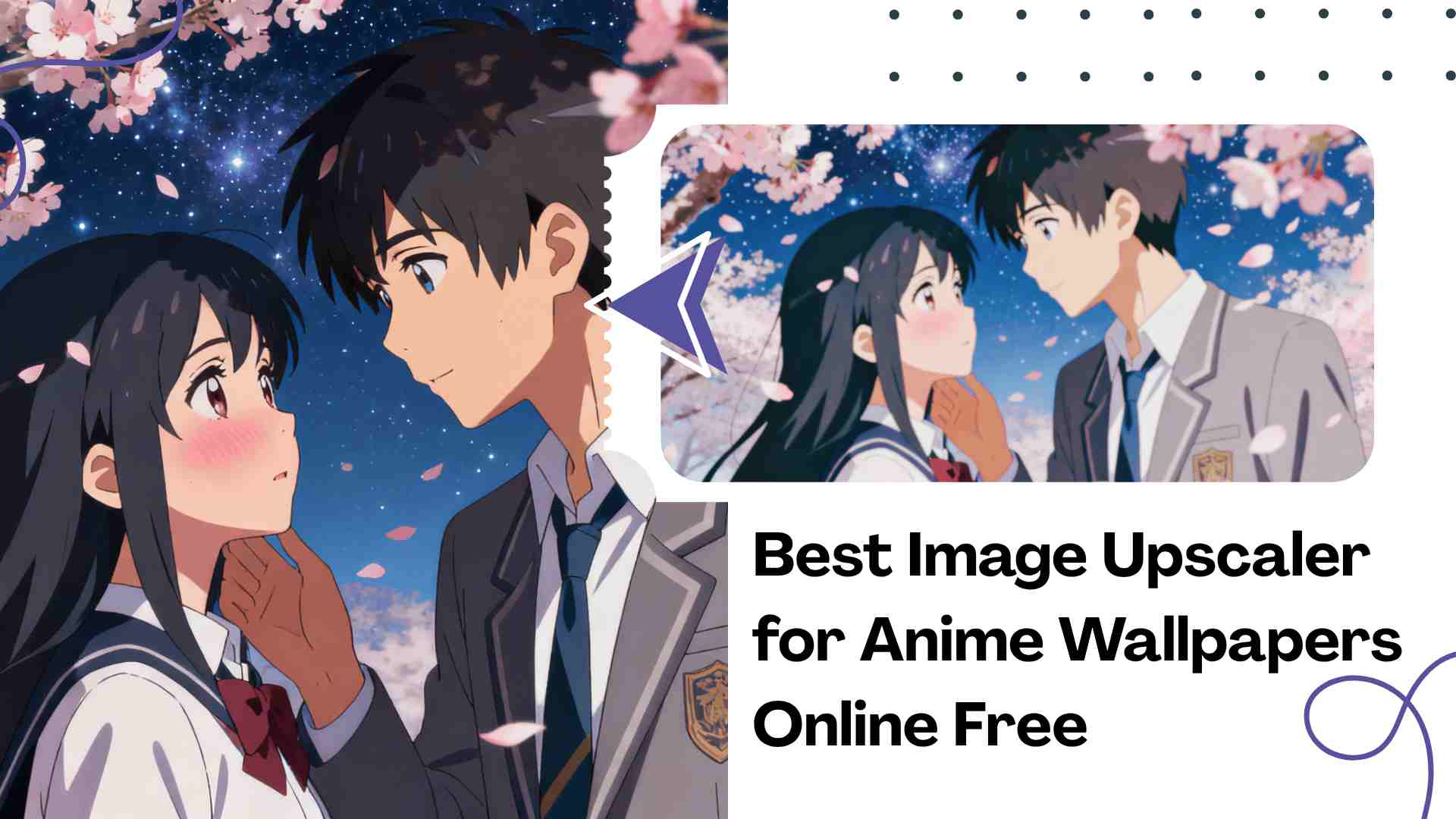
Anime lovers know the feeling—collecting wallpapers is almost a habit. Whether it’s the starry sky from Your Name or the breathtaking battle from Attack on Titan, every frame is worth saving.But here’s the problem: when you try to enlarge your favorite anime wallpaper or illustration, the image turns blurry, edges look jagged, and colors fade. Traditional resizing tools simply stretch pixels, making the image even worse and unusable as a desktop background.
That’s where an AI Image Upscaler comes in. It can upscale images online in seconds, preserving every tiny detail and turning your blurry wallpapers into high-definition masterpieces—clear, smooth, and perfectly detailed.
Why Do Images Become Blurry When Enlarged?
When you enlarge an image with regular software, it just duplicates pixels to fill empty space. The result?
- Noticeable color banding
- Jagged or broken lines
- Blurry and noisy textures
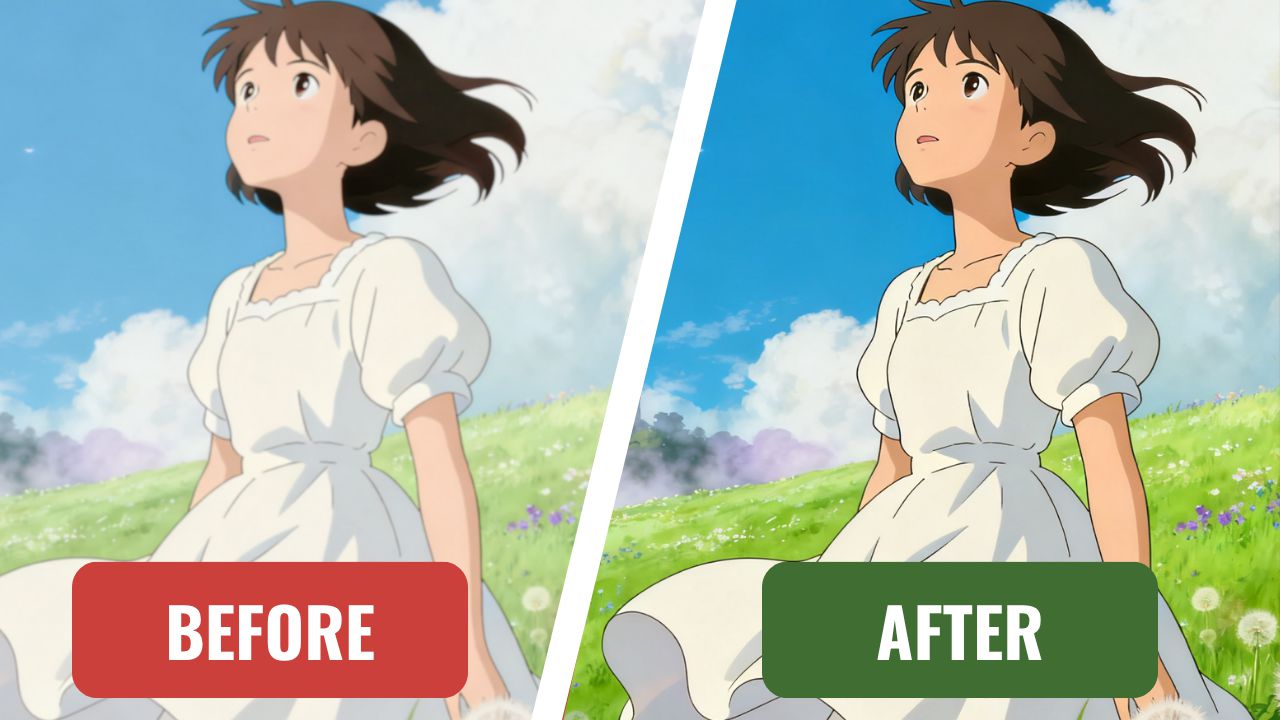
Whether it’s an old photo, a digital illustration, or an anime wallpaper, quality loss destroys the image’s original beauty.
Using an Image Upscaler changes everything. Instead of stretching pixels, it analyzes your picture’s lines, lighting, and textures using AI technology, then rebuilds the missing details. The result is a naturally sharp, high-resolution image that looks perfect even on large or 4K screens.
What Is the AI Image Upscaler?
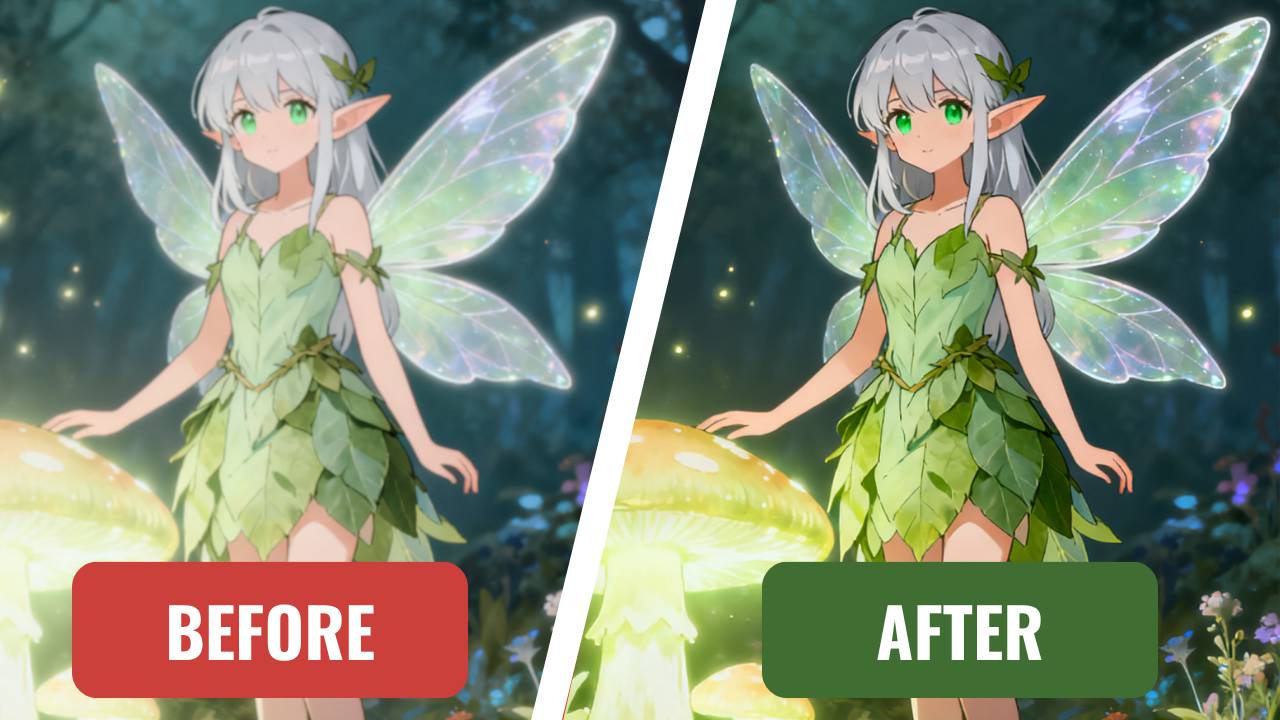
The Image Upscaler is an advanced AI-powered tool that enhances the resolution and overall quality of an image without sacrificing its original details.
Instead of simply enlarging pixels, it uses deep learning technology to analyze every aspect of your photo—edges, colors, light, and textures—and intelligently rebuilds what’s missing in higher definition.
Traditional resizing methods can make an image bigger, but not better. They just duplicate pixels, which often results in jagged lines, faded colors, and a loss of sharpness. In contrast, AI image upscale technology understands what’s actually in the image. It can identify shapes, outlines, and surface details—like the curve of a face, the reflection on a product, or the fine line art of an anime drawing—and then reconstructs those features with stunning accuracy.
Trained on millions of high-resolution examples, the AI Image Upscaler can predict and generate new pixels that naturally blend into your original photo. The outcome isn’t just a larger file—it’s a clean, sharp, and visually richer version of your image that looks naturally enhanced, not artificially edited.
Within just a few seconds, you can upscale images by 2×, 4×, or even 8× while maintaining precise details and balanced colors. Whether you’re restoring old photos, improving wallpapers, or refining digital artwork, this technology delivers professional-grade clarity with no extra effort required.
How to Upscale Images Online Easily
You don’t need Photoshop or any editing skills. Follow these simple steps to complete the AI image upscaler online: 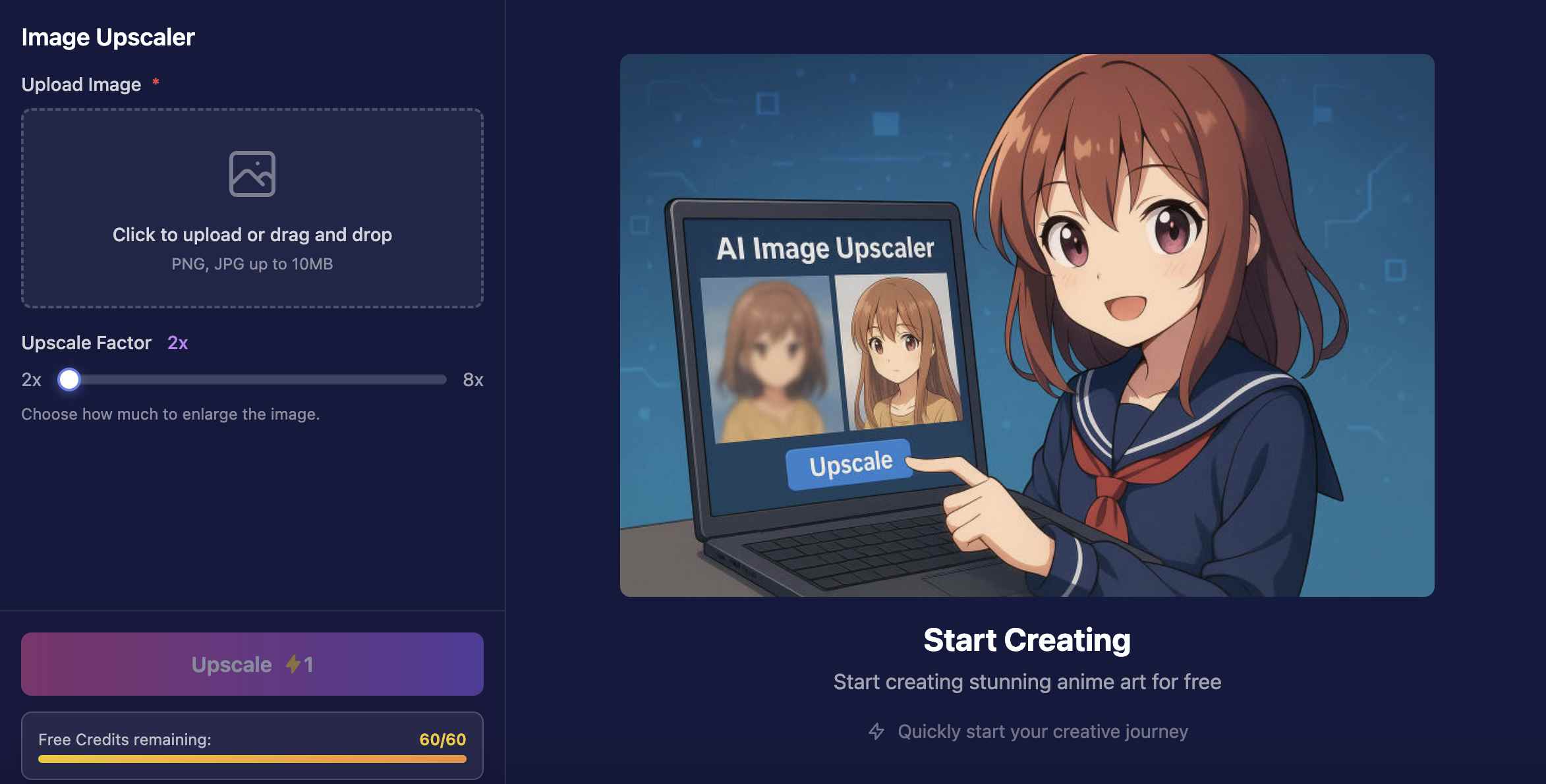
1. Visit the Website
Go to aianime.io and select the Image Upscaler feature.
2. Upload Your Image
Drag and drop the image you want to upscale (supports JPG, PNG, and JPEG).
3. Choose the Scale
Select 2×, 4×, or 8× enlargement. The system will automatically analyze and enhance each pixel.
4. Start Processing
Click “Upscale” and wait a few seconds. The AI engine will optimize edges, balance contrast, and boost sharpness automatically.
5. Preview and Download
Once completed, preview your upscaled image and download the HD version instantly—no registration, no installation.
Why Choose the AI Image Upscaler
- Restores Real Details
AI detects and refines edges, lighting, and textures, keeping images crisp and natural.
- High-Resolution Results
Even at 8× enlargement, the image remains detailed, sharp, and noise-free.
- Completely Free
No sign-up or software required—just upload and upscale.
- Works on Any Device
Fully compatible with computers, tablets, and mobile browsers.
- Versatile for All Uses
Ideal for wallpapers, product photos, anime artwork, or any image that needs higher clarity.
Tips for Getting the Best Results
- Always use the original file instead of screenshots.
- Choose 4× for desktop wallpapers, 8× for print-quality results.
- Save your final image as PNG to preserve fine details.
- For dark or complex images, use a higher scale to reduce compression noise.
With these simple tips, your AI image upscale results will look cleaner, smoother, and more realistic.
Bring Clarity Back to Your Images
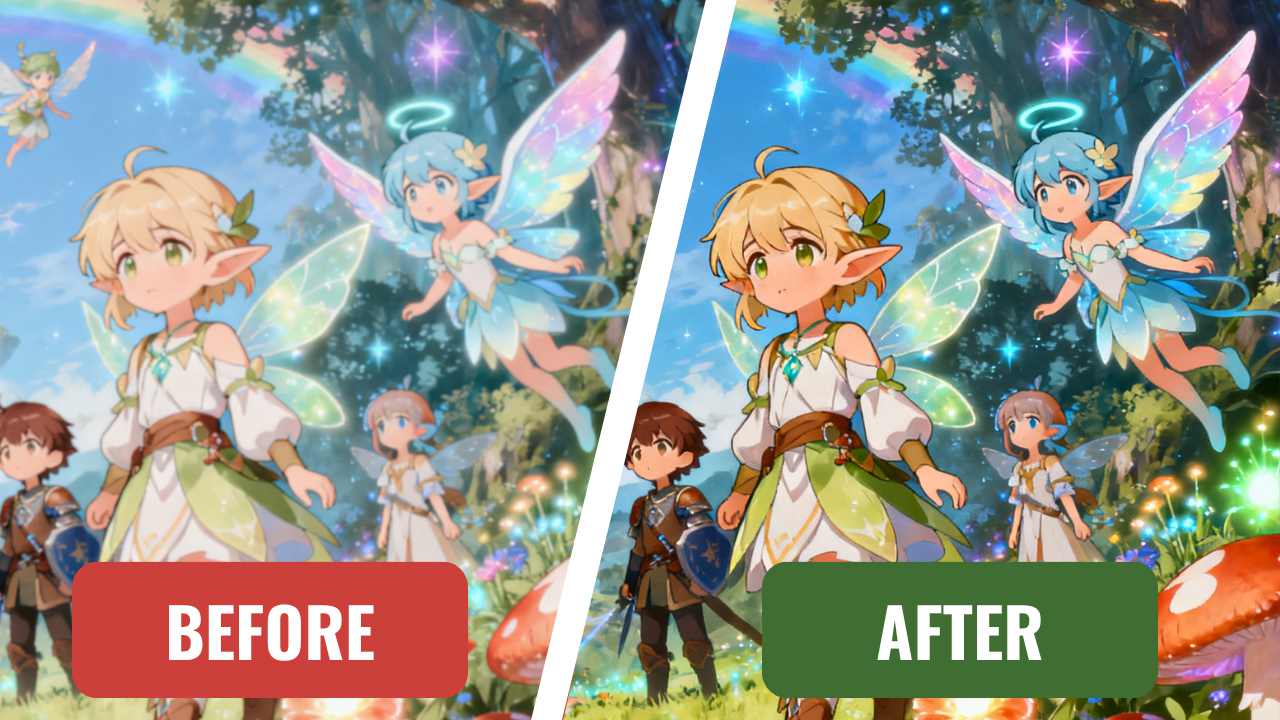
High-definition visuals shouldn’t be limited to professionals. With Image Upscaler, anyone can easily upscale images online in just a few seconds and enjoy results that look as if they were edited in a studio.
Whether it’s an old family photo, a favorite wallpaper, or a product image for your business, the AI Image Upscalerintelligently restores lost detail, sharpens lines, and enhances textures—all while keeping the original tone and color perfectly balanced.
Forget about pixelated edges or dull, washed-out colors. The power of AI image upscale technology ensures that every picture looks crisp, clean, and full of life. You don’t need Photoshop, plugins, or design experience—just one click, and your blurry image becomes a high-resolution masterpiece.
From personal use to professional projects, the AI Image Upscaler makes image enhancement effortless and accessible to everyone. Try it today and see how clear, detailed, and vibrant your images can truly be.