Free AI Anime Video Generator: 3-Step Guide to Image-to-Animation with AIAnime
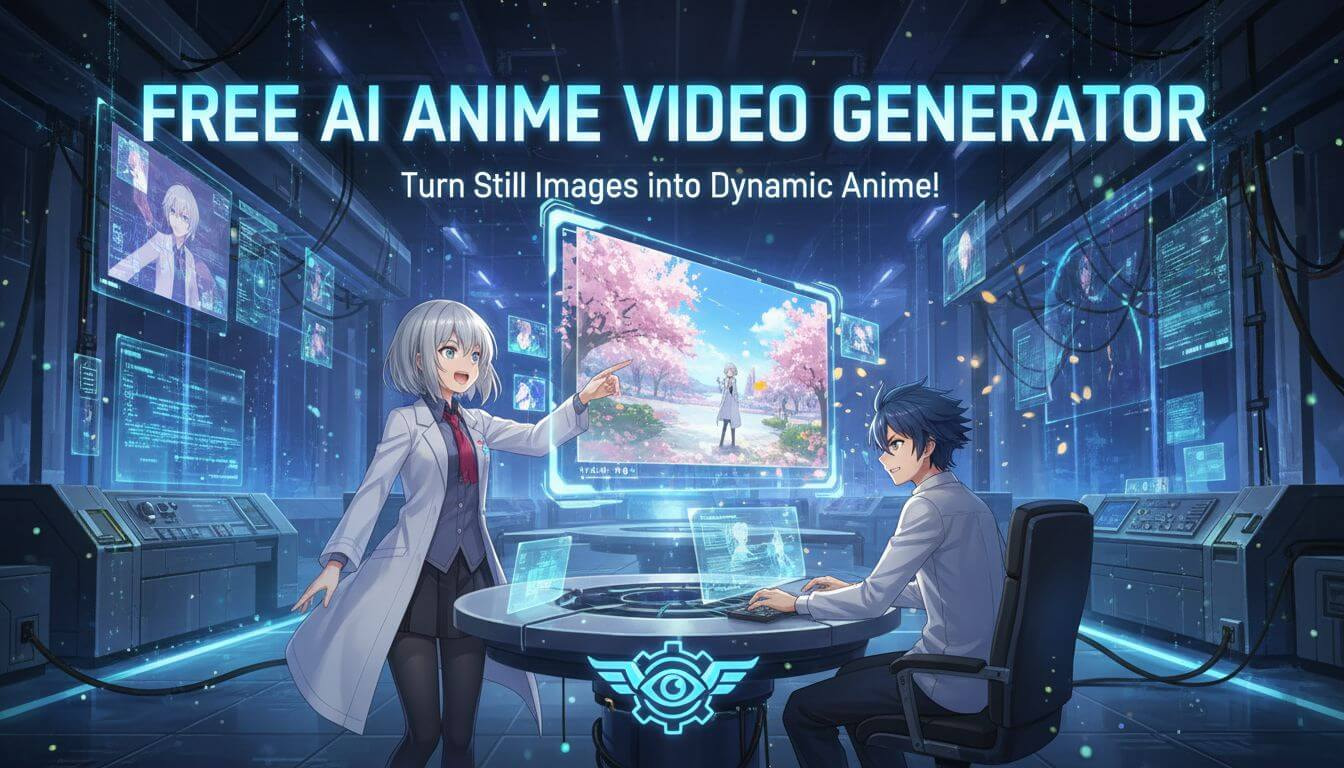
Have you ever scrolled through social media and seen those stunning AI anime clips that feel truly... alive?
A static illustration suddenly transforms—the character's hair sways in the wind, their eyes blink, and cherry blossoms start to drift across the background.
This is AI Anime Video Generation, the hottest tech trend of 2025. It gives everyone the power to "activate" their favorite characters and scenes.
But here’s the problem: most tools are either expensive or incredibly complicated to use.
The good news? That all changes today.
This article will reveal a 100% completely free solution. We will guide you step-by-step on how to use AIAnime, in just 3 simple steps, to convert any static image you have (whether it's AI art, an anime screenshot, or a personal photo) into a living, mesmerizing AI animation.
Ready to bring your anime characters to life?
What is "AI Anime Video Generation"?
Simply put, it’s the use of Artificial Intelligence (AI) to read your static image (like an illustration, photo, or anime screenshot) and add natural motion to it based on your commands (a Prompt), turning it into a short video clip.
Unlike traditional animation, which requires drawing frame-by-frame, the core technology at AIAnime is "Image-to-Animation".
You provide the "scene," and the AI "activates" it—whether that's making a character's eyes blink, their hair flow, or the clouds move in the background.
Why is "Image-to-Animation" So Popular in the Anime Community?
You might be wondering, why did this feature suddenly become so essential?
Activating Your "OCs" and "Waifus": Fans and creators are no longer satisfied with static fan art or OCs (Original Characters). They crave that moment of seeing their favorite characters "actually move."
Social Media's "Dynamic" Supremacy: On TikTok, Instagram Reels, and X (Twitter), dynamic video content gets far more engagement than static images. An animated anime Profile Picture (PFP) or wallpaper instantly grabs everyone's attention.
Zero-Barrier Creation: In the past, making animation required expensive software and weeks of learning. AIAnime drops that barrier to zero—the only things you need are an image and an idea.
【Hands-on Tutorial】How to Animate Images in Just 3 Free Steps with AIAnime
Some "AI video generation" tools on the market are complicated, forcing you to adjust complex "motion parameters" or "camera controls."
But at AIAnime, we've streamlined this process to the extreme. You don't need any professional animation knowledge. Just follow these 3 simple steps to get your anime images moving in minutes.
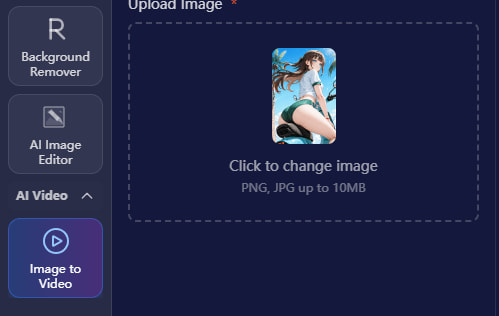
Step 1: Upload Your Static Image
First, visit the AIAnime "Image-to-Animation" feature page. You will see a very clear upload area.
Click the "Upload" button or simply drag and drop your image right in.
💡 Master's Advice (Pro-Tip):
Best Practice: For the best results, use a high-resolution image with a clear subject. A high-quality "raw material" is the first step to a stunning animation.
Supported Formats: We support mainstream image formats like JPG, PNG, WEBP, etc.
Step 2: Input the Magic Spell (Your Prompt)
After the image uploads, you'll see a text box. This is where you work your magic.
The Prompt here isn't for drawing the image; it's for directing the motion. You need to tell the AI how you want the image to move, using simple language.
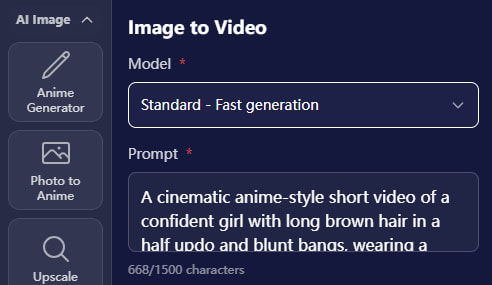
Not sure what to write? Try these "Magic Formulas" optimized for anime:
Basic Motion (Camera):
zoom in slowly
pan right
rotate clockwise
Character Dynamics (Best Results):
a girl with her hair blowing in the wind
blinking eyes
steam rising from a coffee cup
tears falling down
Atmospheric Effects (Max Anime-Feel):
shining particles floating up
cherry blossoms falling
gentle rain falling
cinematic flashing lights
Tip: Keep your prompt simple and clear. The AI at AIAnime is optimized to understand natural language well.
Step 3: Click "Generate" and Download Your Animation
After entering your prompt, hit that obvious "Generate" button.
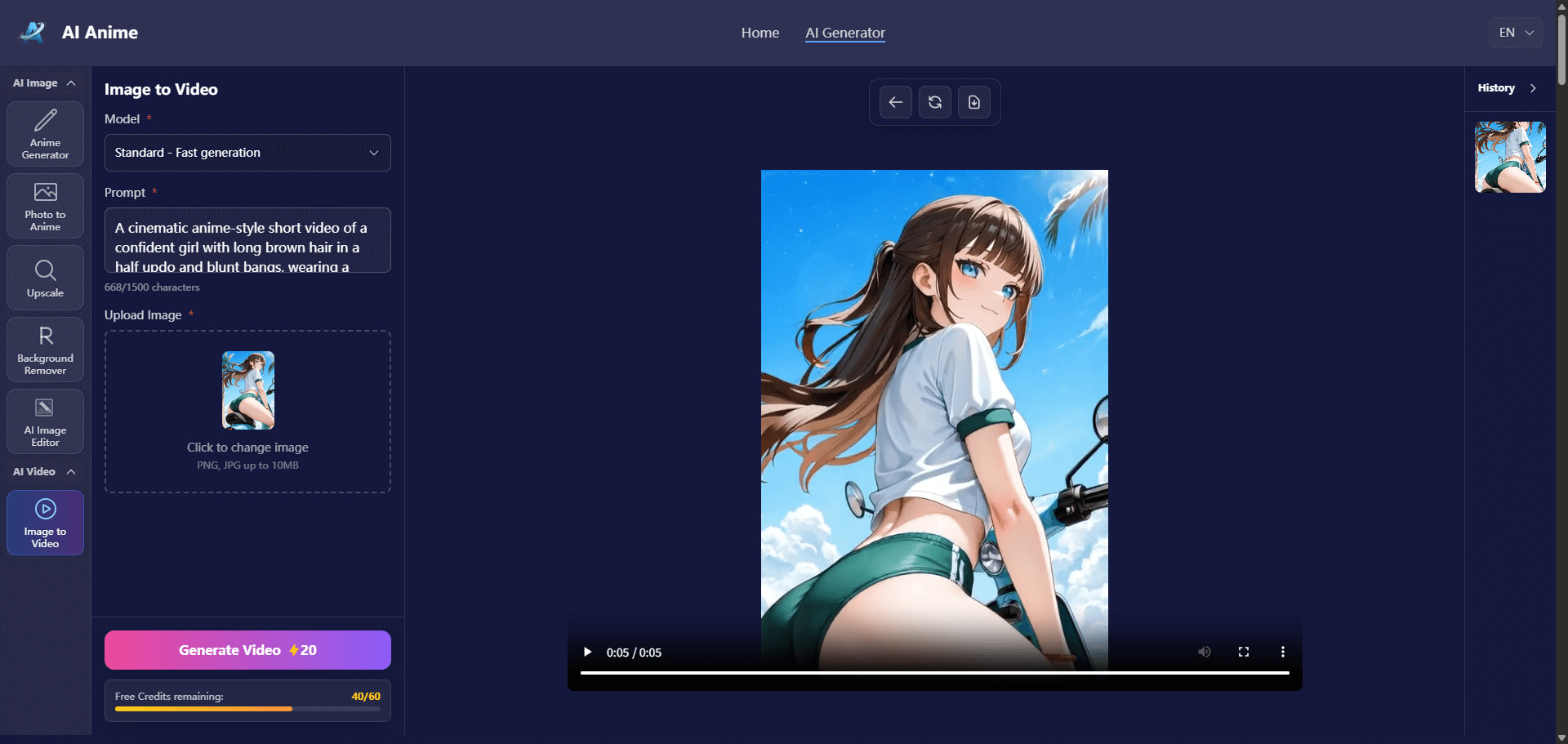
The AIAnime servers will get to work. Depending on the animation's complexity and the current queue (we are a free service, so thank you for your patience!), this process might take anywhere from a few seconds to a few minutes.
Once it's done, your exclusive AI animation will appear on the screen!
If you're happy with the result, click the "Download" button, and this living animation (in MP4 format) will be saved directly to your device!
Pro-Tips: Take Your AI Anime Videos to the Next Level
You've mastered the basic 3 steps of AIAnime. Now, let's share some "pro-level" techniques to help you create more stunning and natural dynamic effects.
Tip 1: It All Starts With a "Good" Image
The AI doesn't create from nothing; it "activates" the image you provide.
Clear Subject: Choose images where the subject (like a character) is clearly separated from the background. If the image itself is messy (e.g., chaotic lines, color bleeding), the AI will struggle to understand what should move.
Avoid Extreme Art Styles: Overly abstract or "rough sketch" style images can be difficult for the AI to interpret. Classic anime cel-shading or smooth AI art styles work best.
Focus on "Still" Images: Avoid uploading images that already have "motion blur" effects. Choose a crisp, static image and let AIAnime handle all the motion.
Tip 2: The "Less is More" Prompt Philosophy
Many beginners make one mistake: stuffing too many commands into one prompt, like hair blowing, eyes blinking, cherry blossoms falling, and zoom in all at once.
Focus on One Core Motion at a Time: Your prompt should be concise and focused.
Bad Example: a girl with her hair blowing in the wind and blinking eyes and smiling
Good Example: gentle wind blowing her long hair (Focus on hair first)
Good Example: subtle eye blinking and small smile (Focus on the face)
Set the "Atmosphere" First, Then "Action": If you want to animate a whole scene, try gentle rain falling or slow zoom in first. It's often more natural to add character actions on top of this "environmental motion" in a separate attempt.
Tip 3: Iterate! Iterate! Iterate!
The joy of AI creation lies in its "unpredictability." Don't expect the perfect result on your very first try.
Same Image, Different Prompts: Try using zoom in and hair blowing on the same image to feel the completely different vibes they create.
Adjust Your Descriptors: wind blowing and gentle breeze will produce very different levels of motion.
Use the "Free" Advantage: AIAnime is 100% free. This means your "cost" for trial and error is zero. Feel free to experiment relentlessly until you find that perfect "Wow!" moment!
Frequently Asked Questions (FAQ) about AIAnime
Q. Is AIAnime really 100% completely free?
- A: Yes. AIAnime is currently completely free. We are committed to providing a zero-barrier creation tool for anime fans and creators. There are no hidden fees and no "trial periods"—you can use our "Image-to-Animation" feature as much as you want.
Q. Will the generated AI anime videos have a watermark?
- A: No. We believe in creative freedom, and videos generated by AIAnime do not currently have any watermarks.
Q. Can I use the videos generated by AIAnime for commercial use (e.g., ads or social media marketing)?
- A: Yes, even as a free user, you may use the generated videos for commercial purposes, but please adhere to our Terms of Service.
Q. (NEW) Can I use AIAnime to generate NSFW or adult anime videos?
- A: No. Our Terms of Service strictly prohibit the generation of Not Safe For Work (NSFW), adult, or explicit content. AIAnime is designed to be a safe and creative tool for all users. Any attempts to create such content may result in restrictions on your account.
Q. Why does my generated video "not move" or "move strangely"?
A: That's a great question! This is usually related to the two points mentioned in our "Pro-Tips" section:
Image Quality: Your original image might be too blurry, abstract, or the subject isn't well-separated from the background.
Overly Complex Prompt: Try using a simpler, more focused prompt (e.g., just blinking eyes).
Conclusion: Stop Imagining, Animate Your Anime Characters Now!
Going from a static anime illustration to a living, breathing short video is no longer a skill reserved for professional animators.
As this guide has shown, with AIAnime, this entire process has been simplified into 3 easy, free steps.
You no longer need expensive software or complex skills. The only things you need are an image you love and an idea you want to see come to life.
Enough theory. Now, it's your turn.